
For contractors & service providers
Get invited to bid on work across 100+ communities.
Every approved vendor gets our online bid request system, free. Clear scopes, measured site maps and a simple form you can finish from your phone.

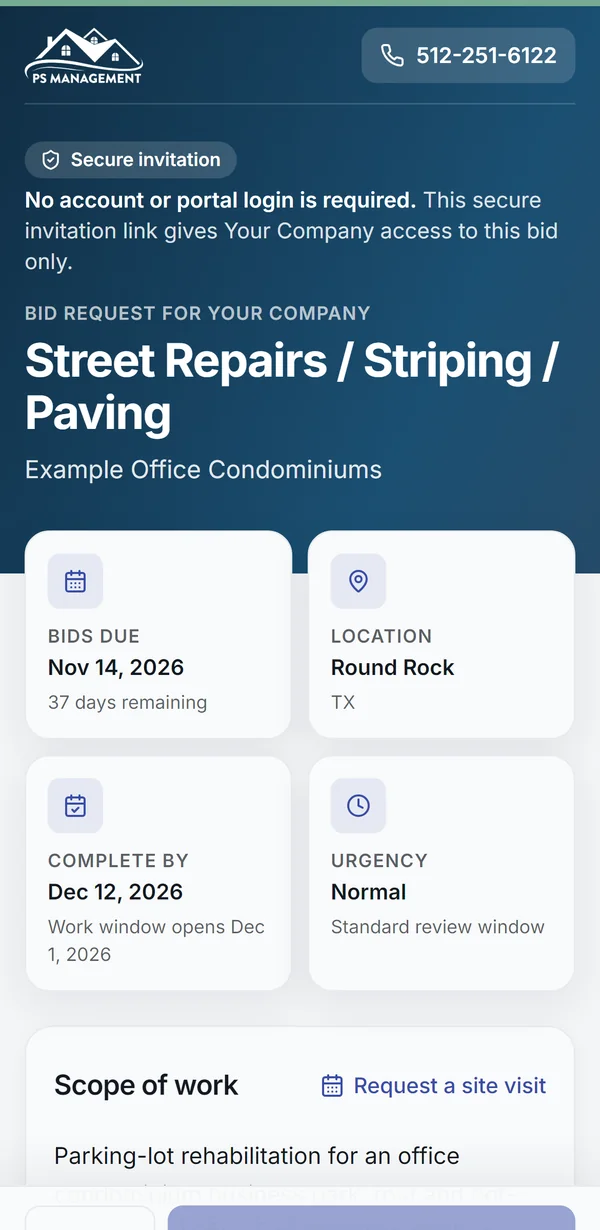
Our bid request system, free for every approved vendor.
When a community needs work priced, managers send it to approved vendors in that trade through the same system, so every vendor prices the same scope.
- You get an invitation
By email, and by text if you've opted in. The link is unique to you and your company, so there's nothing to log in to.
- Review the scope
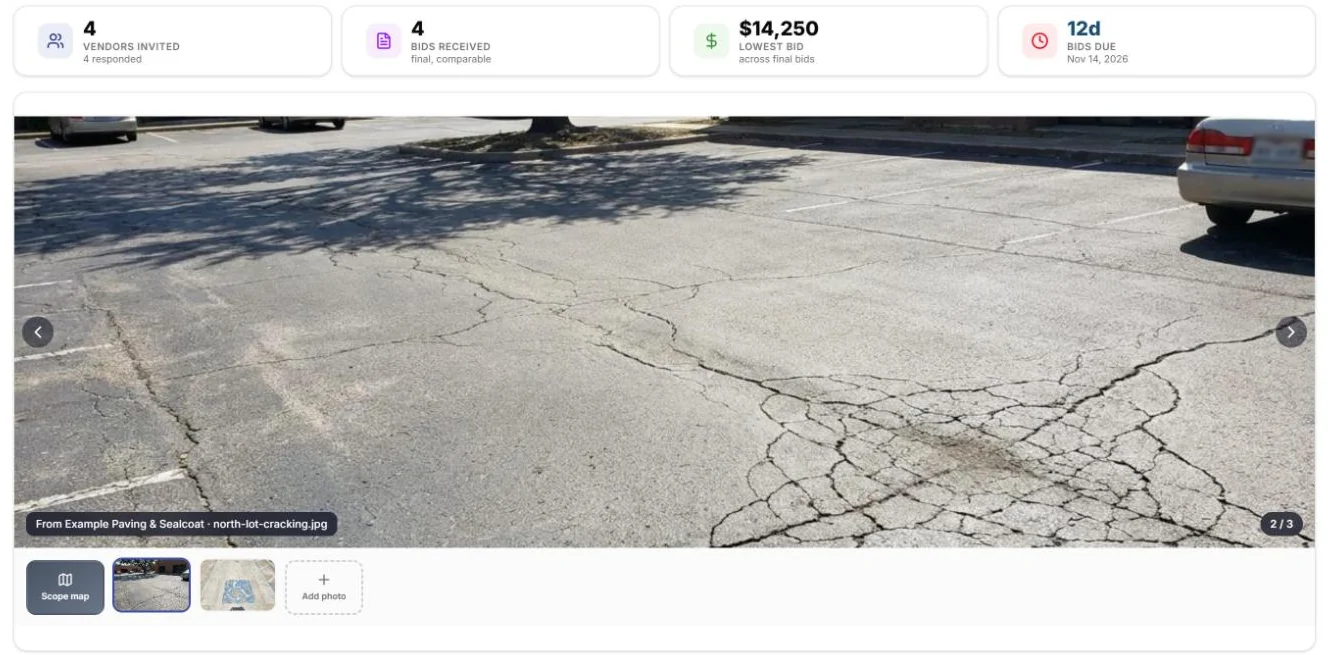
Trade-specific details, the deadline, photos and project files, and a map of the work area when the job has one.
- Ask, then submit
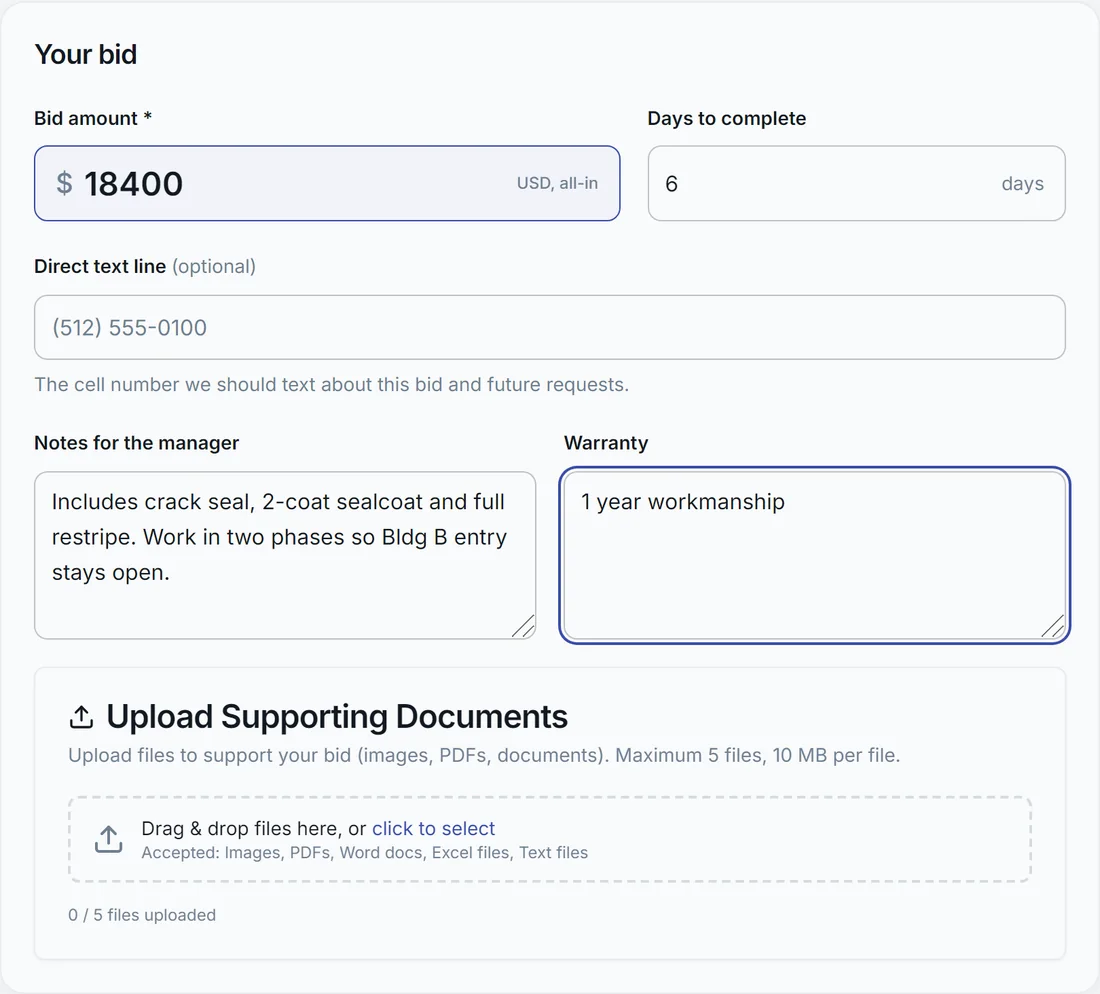
Send the manager a question from the same page, then submit your pricing and attach your proposal. Not a fit? Decline so the slot goes to someone else.
- Hear the outcome
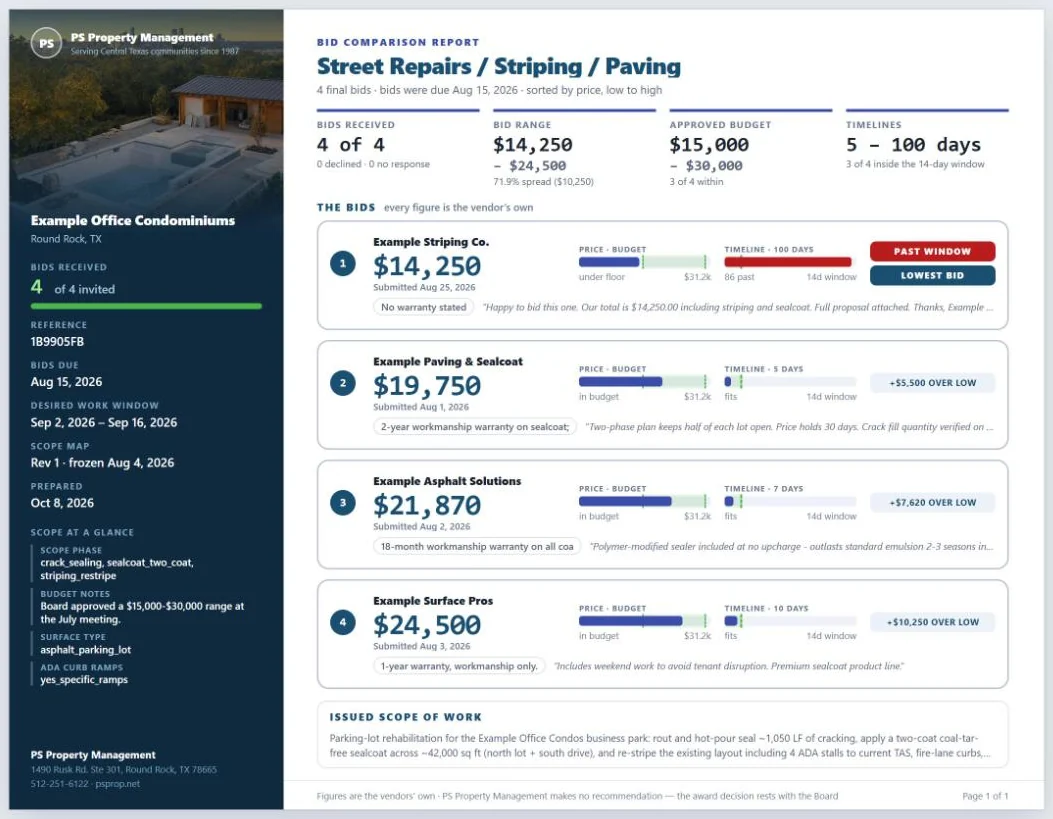
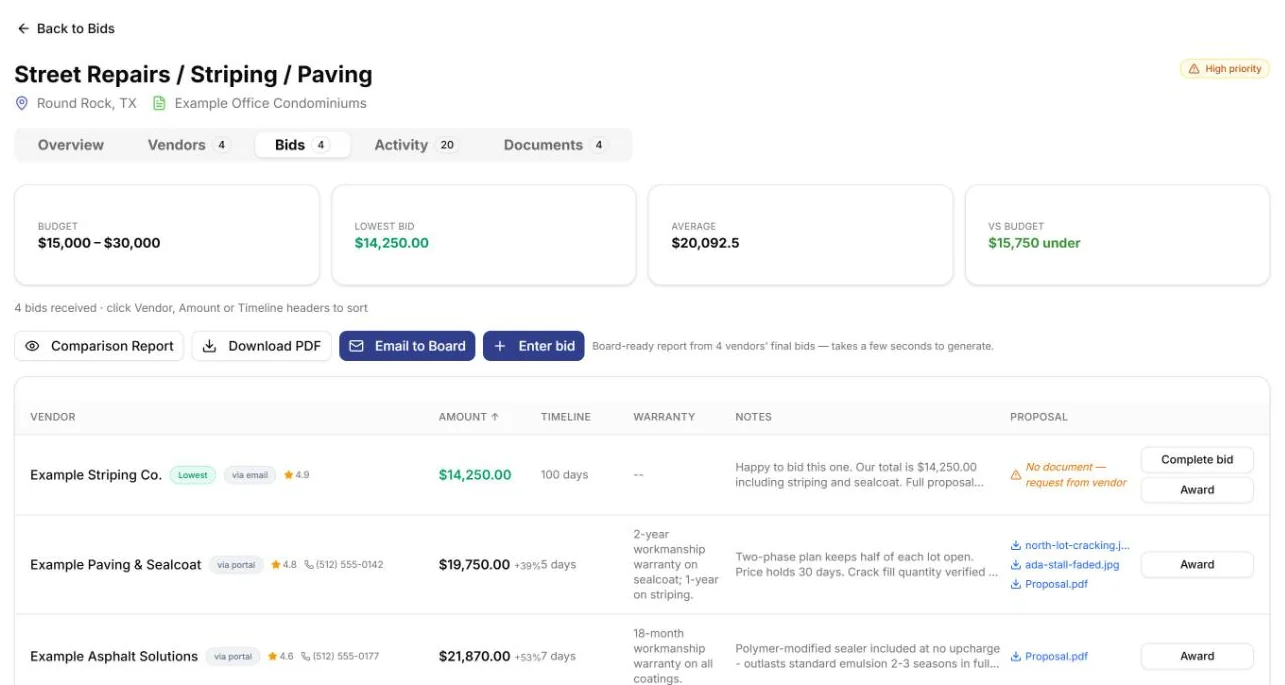
The board reviews bids side by side. If you're selected, you'll get an award notice with next steps.
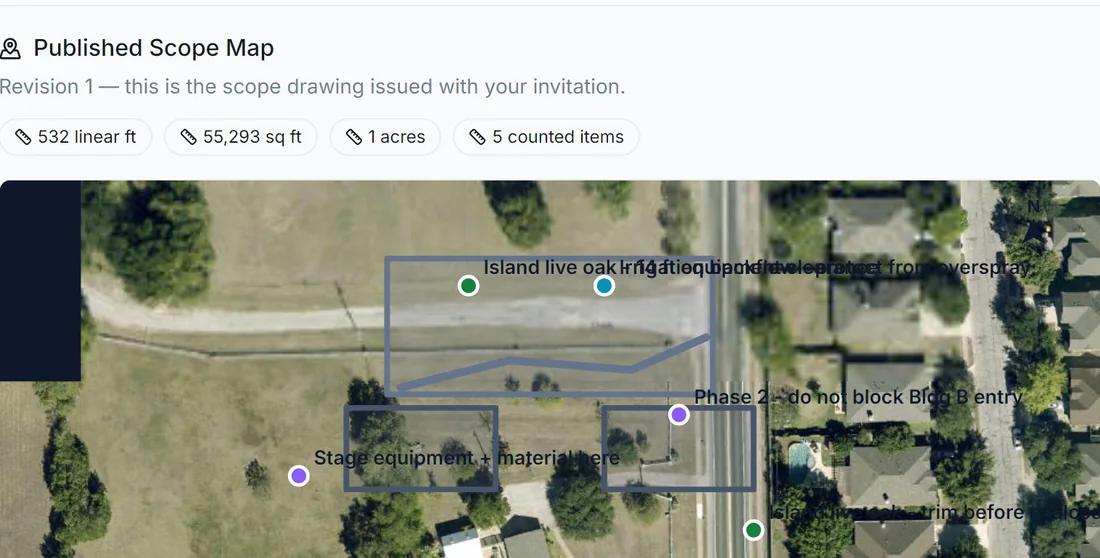
Linear feet, square footage and counted items, drawn on the property.
Each invitation link is unique to your company. Open it from the email or text.
Request a site visit or message the manager from the same page.
From your bid to the board’s decision.
Your price lands next to every other vendor's on the same project page, then goes to the board as a one-page report.
Bid texts follow our vendor SMS terms. Reply STOP to any text to opt out; it won't affect your vendor status.
Have these ready before you apply.
The application walks you through five steps. Most of the time goes into the insurance certificate, so get that from your agent first.
Billing setup
How to address and send invoices for the communities you work in.
Company & services
Business and mailing addresses, a site-work contact, an accounting contact, and the service types you offer.
W-9, signed online
Fill in your tax details once. We place them on the official IRS form and you sign it electronically.
Certificate of insurance
Upload a PDF, JPG or PNG. It's checked against the minimums below as you upload.
Direct deposit
Add your bank details so payments go straight to your account by ACH.
Certificate holder box must read exactly:
As agent for all communities under management
PO Box 7079
Round Rock, TX 78683
Required minimum coverage
- General liability: $1,000,000 per occurrence and $2,000,000 aggregate
- Auto liability: $1,000,000 combined single limit (any auto)
- Workers' compensation: $1,000,000 each accident
No workers' compensation policy? The application includes a waiver you can sign instead. Ask your agent to send renewal certificates each year to vendorinsurance@psprop.net.
Getting paid.
Invoices are paid by the community after the manager approves the work. Following these rules is the fastest way to keep payments moving.
Invoice rules
- Address every invoice to the community's name, not to PS Property Management.
- Email invoices as PDFs to invoices@psprop.net, one invoice per PDF. That inbox is for invoices only.
- Email is preferred. If you mail instead, use the address below. Don't do both; duplicates delay payment.
c/o PS Property Management
PO Box 7079
Round Rock, TX 78683
Questions about an invoice or a payment? Email info@psprop.net and our accounting team will respond.
Direct deposit (ACH)
Every payment goes straight to your bank account by ACH. Already approved? Set it up or update your bank details any time.
Vendor questions.
Does applying guarantee work?
No. Approval puts your company on our vendor list, so managers can invite you to bid and associations can hire you. Each association decides who it hires.
Do I need an account to bid?
No. Every bid invitation comes with its own secure link. Open it from the email or text to review the job and submit.
Where do I send an updated insurance certificate?
Have your agent email it to vendorinsurance@psprop.net, ideally automatically at each renewal.
Who do I ask about an invoice or payment?
Email info@psprop.net. Include the community name and your invoice number.
Does buying a Premium listing help me win bids?
No. Premium only affects what homeowners see on community websites. Association bids are invited and awarded the same way for every approved vendor.
I'm already approved. Do I need to apply again?
No. Keep your insurance current and your payment details up to date. To change bank details, use the direct deposit form.
Ready to work with us?
Apply online in five steps. Questions? (512) 251-6122 · info@psprop.net